Antle teaches information design (Bare Bones lecture)
Bare Bones
Lecture outline
An introduction to interaction design and wireframing. Lecture slides will be made available on the day of the lecture (October 1).
In preparation for lecture...
Please close up any laptops, cellphones, Pippin's, iPads and other 'beep-boop' devices.
Peer critique prep
In preparation for today's critiques, please:
Place your bags/belongings at one of the tables in the middle.
Load up your project deliverables one laptop.
Make sure you have a pen or pencil ready for peer critique.
Peer critique reminders
For today's peer critique, we will be providing you with a series of prompts to guide your critique. For each critique you provide please make sure to:
Be specific about what you are referring to.
Be clear about what is working, or not.
Explain why it is working, or not.
Include your team member names at the bottom of the critique.
Leave your post-its at the project you are providing critique on.
Peer critique process
After each prompt, you will move to the next project (+1 from where you are). Please make sure to leave your critique on a post-it at the project.
Peer critique start
Please move +1 project.
Look through the process document
What do you like/wish? Why?
You have 2 minutes.
Look through the process document
What questions do you have of the process?
You have 2 minutes.
Look through the process document
Does the process appear to explore a high quantity of different ideas? Why so, or why not?
You have 2 minutes.
Look through the process document
Can you easily navigate and understand the process? Why so, or why not?
You have 2 minutes.
Look through the final desktop and mobile mockups
What do you like/wish? Why?
You have 2 minutes.
Look through the final desktop and mobile mockups
The project rubric looks at clear hierarchy and composition. Do you feel the relationships and organization of content are clear? Why so or why not?
You have 2 minutes.
Look through the final desktop and mobile mockups
The project rubric looks at if there is a consistent hierarchy between mobile and desktop. Does the hierarchy feel consistent? Why so or why not?
You have 2 minutes.
Look through the final desktop and mobile mockups
The project rubric looks at if the scale of content is readable or legible at mobile and desktop sizes. Does the content feel appropriately readable or legible for desktop and mobile sizes? Why so or why not?
You have 2 minutes.
Critique complete
Use the critique you have just received as a means for improving your projects.
Your final deliverables for the project are interactive wireframes which are meant to help us understand the structure of content and how we interact with it.
Flow + wires = chunks
Wireframes help us understand portions
In addition to helping us see the interactions and design fundamentals, wireframes will help illustrate how well the task has been broken up.
Mobile and desktop
Keep in mind some considerations of designing for mobile and desktop:
Using the grid structure
How might my content reorganize for mobile?
How can I keep consistency when reflowing content?
Avoid using interaction to make things 'cool'. Aim for purposeful and clarifying interactions with objects on the screen.
Wireframing interactions
Questions?
Information Architecture (IA) is...
Organising content or objects.
Describing them clearly.
Providing ways for people to get them.
Working through IA
For the next portion of class we will use some of the methods from your reading to start thinking about structures and relationships in the information we have been provided.
Please find two others to sit and work with and have ready pen, paper, and the spreadsheet of information.
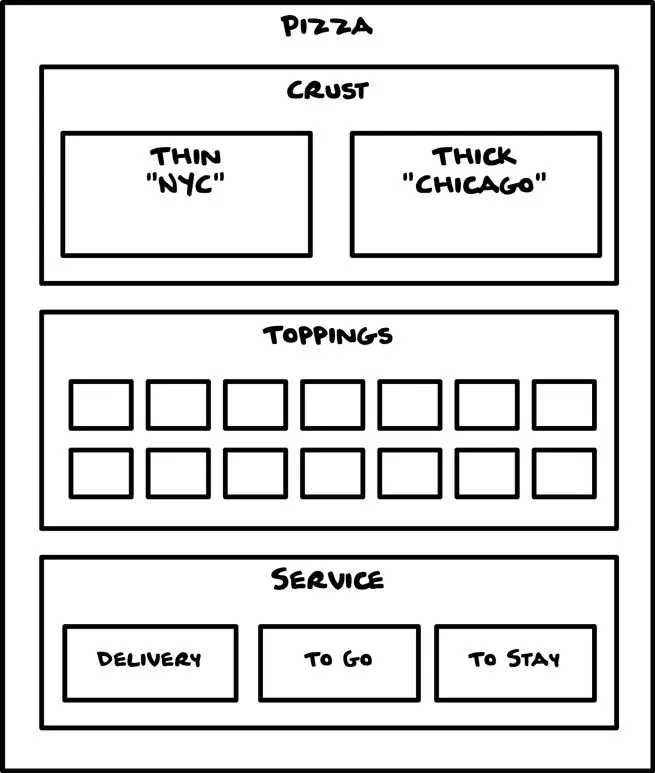
Block diagrams (Covert, 2024)
Block diagram practice
Within the spreadsheet, how are different categories of the information related to one another?
As a group start to diagram this. You have 8 minutes.
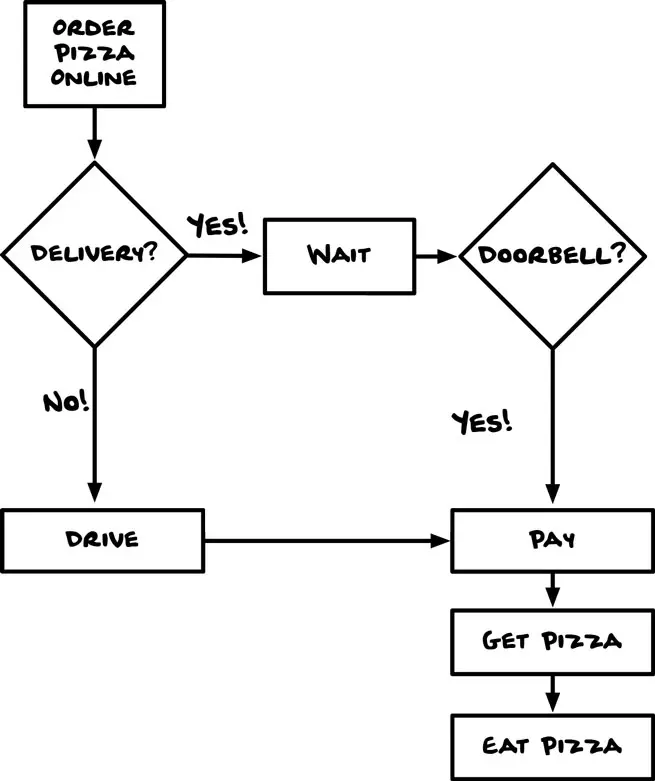
Flow diagrams (Covert, 2024)
Flow diagram practice
If you were someone who knows you need an assistive device to help you hold a pencil, but do not know what is called, how would you go about it?
As a group start to diagram this. You have 8 minutes.
Hierarchy diagrams (Covert, 2024)
Hierarchy diagram practice
What is the hierarchy of information as you each presented within your P1 deliverables?
Individually start to diagram this. You have 4 minutes.
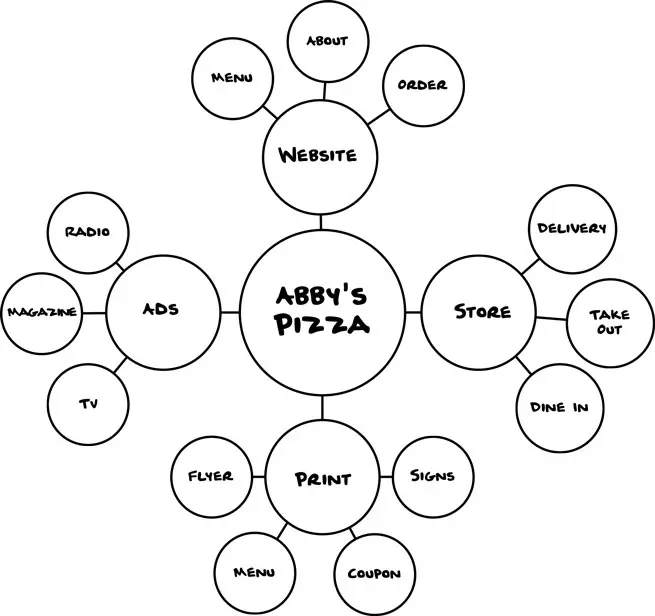
Mind maps (Covert, 2024)
Mind maps practice
Using the title of the assistive device you worked with in P1, generate a mind map of all things you see as related to the object.
Individually start to diagram this. You have 4 minutes.
Metadata
Information about information
The markup that we use in HTML — such as <p> for paragraphs — is a form of metadata, helping define what the information is for a computer. It helps us use the computer to build relationships.
In this category we have two patterns:
Linear: One thing follows another
Hypertext: Emergent structure
The Lowest Level
The very basics of wireframing
Structure
Hierarchy
Purpose
IA and wireframing
Structure - Organising content or objects.
Hierarchy - Describing them clearly.
Purpose - Providing ways for people to get to them.
Compare
We have just generated a variety of ways of structuring and exploring information related to the project. Take a moment to see where there may be overlap or disconnects with:
How you individually build hierarchies and mind maps.
How your hierarchies and mind maps connect (or not) to the block diagrams.
How any of these connect (or not) with the flow diagram.
You have 8 minutes.
Questions?
Changing Formats
Some changes to our class structure over the next couple weeks:
We'll be doing code tutorials in the lecture, so please bring laptops to follow along.
Critique times will be pre-defined based on Canvas groups, I will announce them in advance of the class.
Web Toolkits
Prepped and ready to go
Available on Canvas in next week's module will be links to programs for your first 'web toolkits'. They contain: