Antle teaches information design (Developing Process lecture)
Developing Process
Lecture outline
An introduction to the course and thinking about an information and user experience design process.
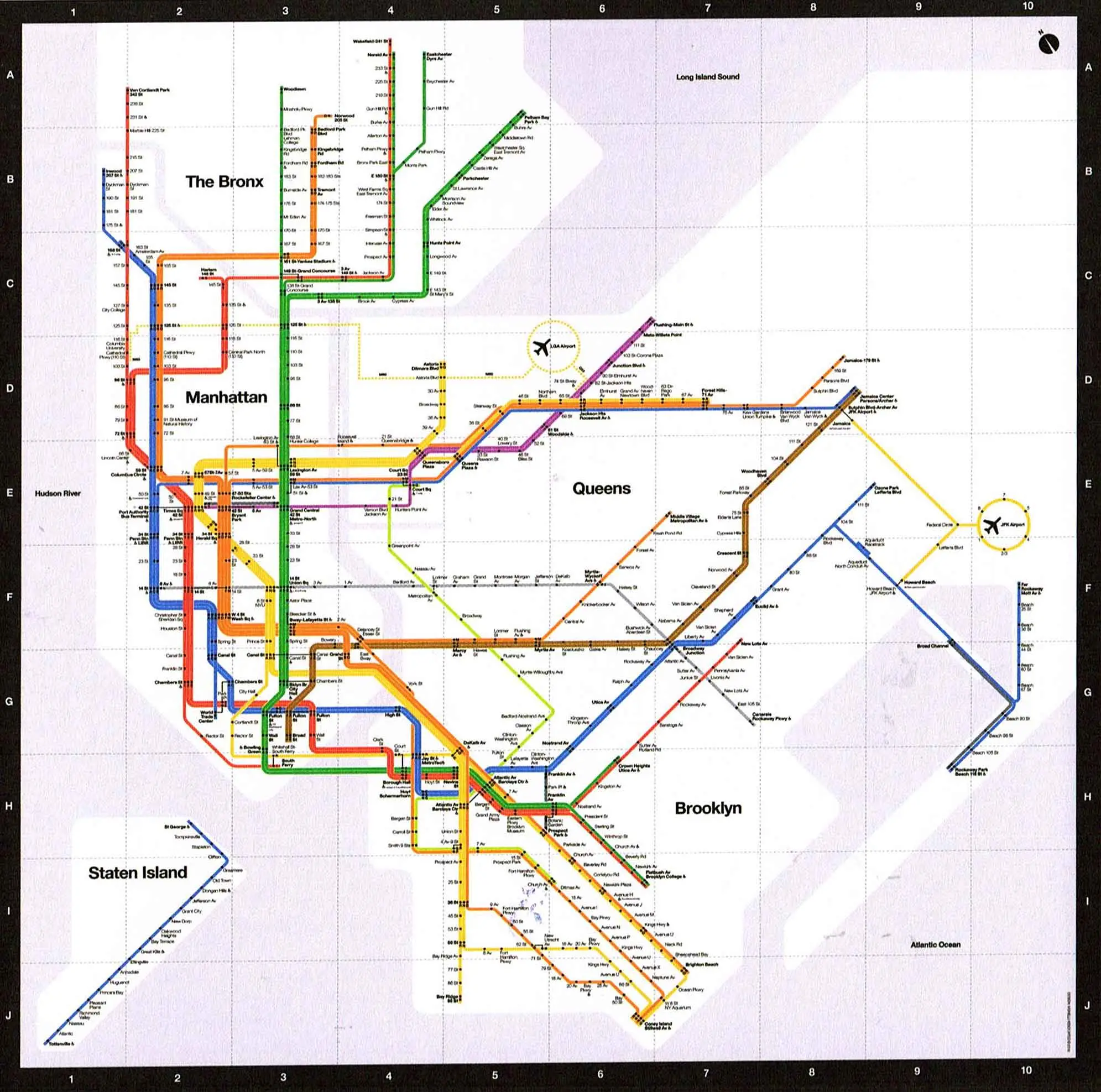
Developing Process
In preparation for lecture...
Please close up any laptops, cellphones, Wiis, PlayStations and other 'beep-boop' devices.
Welcome to IAT-235!
Your teaching team
Lecturer:
Alissa Antle
TA:
Mehdi Jahani
Meet your neighbours
We are going to take a moment to meet your neighbours. Find someone sitting next to (or near to) you that you have not met before and:
- Introduce yourself (Hello, my name is INSERT_NAME_HERE!)
- Describe any previous experience with graphic design or web development (I built a website for my dog...)
- Explain why you are interested in this course (I am in this course because I really want to learn about octopods...)
- Share a fun summer anecdote (I got an Atari and ET as birthday gifts or I learned to jetski or I was forced to go camping with my annoying young cousins and it rained the whole time ...)
You have 5 minutes.
Announcements
Important announcements will be posted to Canvas, usually on Sunday about the upcoming week. These will often clarify or remind of important upcoming items.
Contacting your instructors
A friendly how-to
Alissa and Mehdi are available:
- Through email at
- On our Discord channel (sign-up on Canvas Home - Course Administration or see Announcement (00) Sept 7 2026)
- During office hours (see Canvas HOME - Course Administration Office Hours)
Email rules
Please allow up to 2 business days for responses.
We do not provide design critique via email or chat. Please arrange a meeting or attend office hours for design critique.
To make our responses faster, please include the following in your email:
- Your full name.
- The course number (IAT-235).
- A clear question.
Chat conduct
When chatting:
- Please treat our online interactions the same way you would in-person interactions.
- Please do not post personally identifying information about yourself or others.
- Any questions about grades or feedback should be directed to Alissa via email.
If you have concerns about anyone's conduct at any point, please direct message or email Alissa.
Office hours
Please make sure to reach out to us in advance of office hours to let us know you are coming. It helps us with budgeting time and making sure we can see everyone.
Alissa's hours:Tuesdays noon-2 pm in person Podium 3-3930 and Fridays 11-noon Online
Mehdi's hours: Tuesdays 4-5 pm Online and Thursdays 9:15-10:15 am in person in Podium 3-3100.
Zoom etiquette
Most office hours will be available through Zoom. You will need to log in through sfu.zoom.us before being able to access the room.
- Links are provided on Canvas.
- Please use headphones.
- Bring any materials for critique ready as a web link that we can download/share screen from.
Illness policy
If you are ill, stay home. Please follow-up with Alissa or Mehdi to arrange an alternative time for critique.
If you will be ill for a prolonged period of time (more than a week) please email Alissa to arrange accommodations.
If one of the teaching team is ill, we will notify you via Canvas and course chat before 8:30am on the day of the lecture or lab.
Lectures
This term we are holding our class as a 'studio' lecture - a communal space we meet to cover theory, practice, critique and software for information design.
Workload
A reminder that this course expects about 2-5 hours of work outside of class. You will be able to complete some of this work during lecture.
If you ever have concerns with workload please email Alissa.
Canvas
Our main course-site
Projects
- Clarity — 10% (Individual)
- Wireframes — 25% (Group)
- HTML/CSS — 20% (Individual)
- Design and Develop — 25% (Group)
80% of your grade.
Teamwork
All team projects will make use of mechanisms to ensure the team is supported by all team members. If you ever have concerns about teamwork or your teammates please email Alissa.
Readings
Fee-free!
Readings are available entirely digitally.
Activities
In-lecture individual and group activities will only be available in-person during lecture time.
10% of your final grade.
Sketching and coding exercises
Sketching and coding exercises are to help further explore your projects and practice your sketching. We will typically discuss some of the prior week's sketches at the start of lecture.
10% of your final grade.
Use of AI
In this course you are welcome to make use of generative AI tools — unless specified — with the following condition: You must state how you generated the result you are working with in the comments on your Canvas submission.
This will include:
- the name of the tool;
- the parameters or prompt used; and,
- a copy of the generated material linked.
You may use the generated material as a starting point or assistant for your own work, but the AI result cannot be your final submission.
Discussion about AI
You are at a point where you are developing your own identity as young adults (or maybe you are an older adult continuing to evolve your identity).
Your are forming your values, beliefs and opinions. It is a critical stage in your development.
This includes developing your own voice, ideas, creative process, skilled abilities (e.g. problem solving) and moral compass.
Research shows that using AI tools to "do the work for you" (e.g. input design or coding or written assignment and use AI tool to generate your answer, which you then hand in) will over time:
- Reduce your cognitive capacity (how intelligent you are)
- Reduce your problem solving skills (how you can figure things out)
- Reduce your creativity (come up with original ideas)
- Sycophantic tone reduces your ability to take-in constructive, critical feedback (learn from feedback/mistakes)
- Ultimately make it difficult for you to be competitive in the job market (i.e. you may get a job but may not be able to keep it or advance compared to peers who have developed these capacities at university).
What do you think are "good" uses of AI tools in this course?
Here's some ideas. What do you think?
- (Students) Generate code from scratch?
- Provide feedback on your design variations?
- Problem solve an error in your code?
- Make editing suggestions for original writing?
- (Instructors) Generate a draft of speaking notes for lecture slides from a previous instructor?
- Use to mark students assignments without reviewing them?
- What else?
In all cases you should be the human in the loop.
Code review
As part of P3: HTML/CSS you will be required to complete a code review. This will be a meeting between us to sit down and discuss your submitted code to ensure you understand how/why it is behaving the way it is.
Code check
If there are materials in your project submission that are not cited and seem beyond the scope of what we have covered in the course you may be required to complete a 'code check'.
A code check will require you answer specific questions of how the code is working and why it was built this way. If you are unable to effectively explain this the code grade for the project may become a zero, at the instructor's discretion.
Plagiarism
This course has a zero tolerance policy for plagiarism on projects. If you are found presenting work that is not your own or resubmitting old work without notice, you will receive a failing grade on that project. No exceptions.
Late or problematic submissions
Late submissions receive 10% per day late.
Problematic submissions — i.e. we can't open the URL or the wrong files were submitted — receive an immediate 20% off plus late penalties on the resubmission.
Concerns with grades
Please notify Alissa of any grading concerns within 10 days of the grades being released. This can include just getting some further feedback and/or wanting to have something regraded.
Course overview questions?
If you have any questions that linger about the course overview, please feel free to email Alissa or ask during our lecture time.
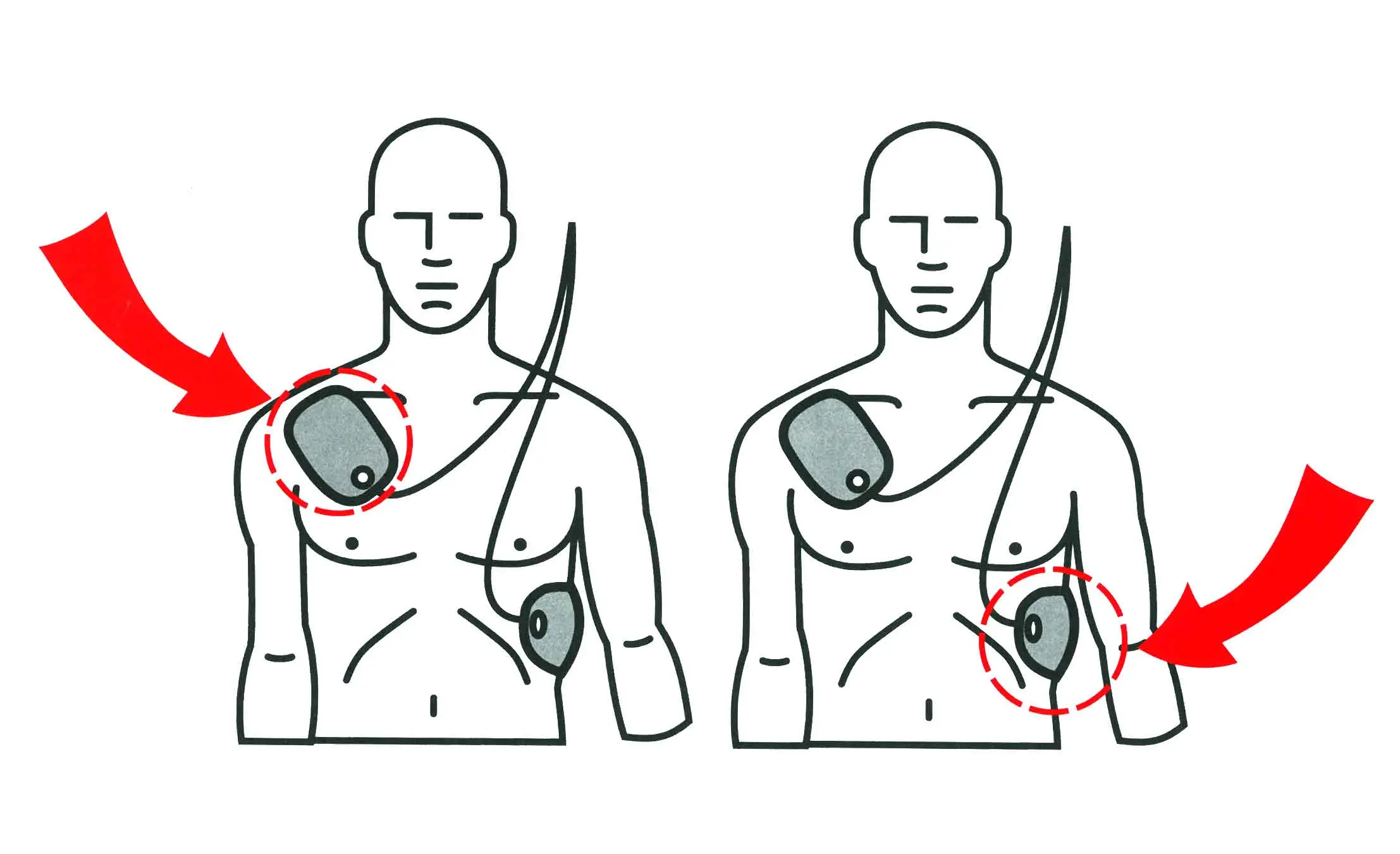
Information design
User experience
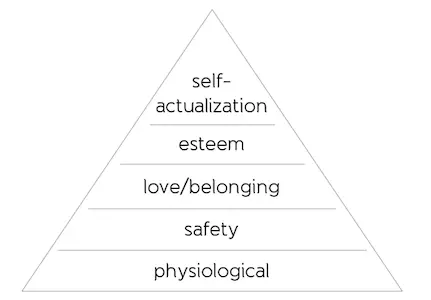
Maslow's hierarchy of basic human needs
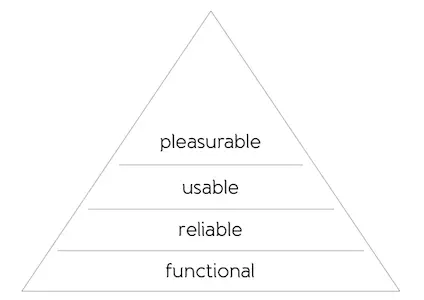
Walter's hierarchy of user (UX) needs (2020)
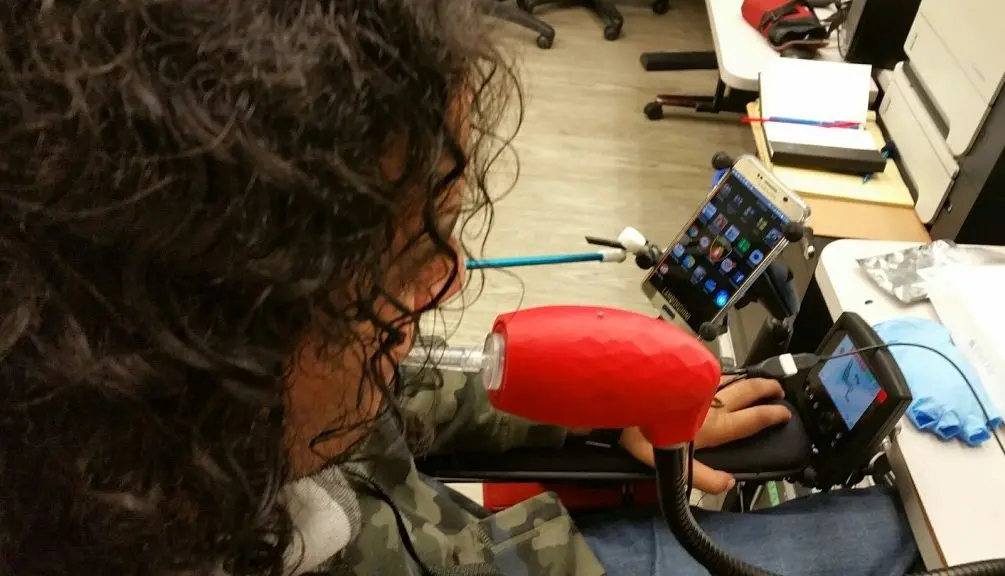
From LipSync
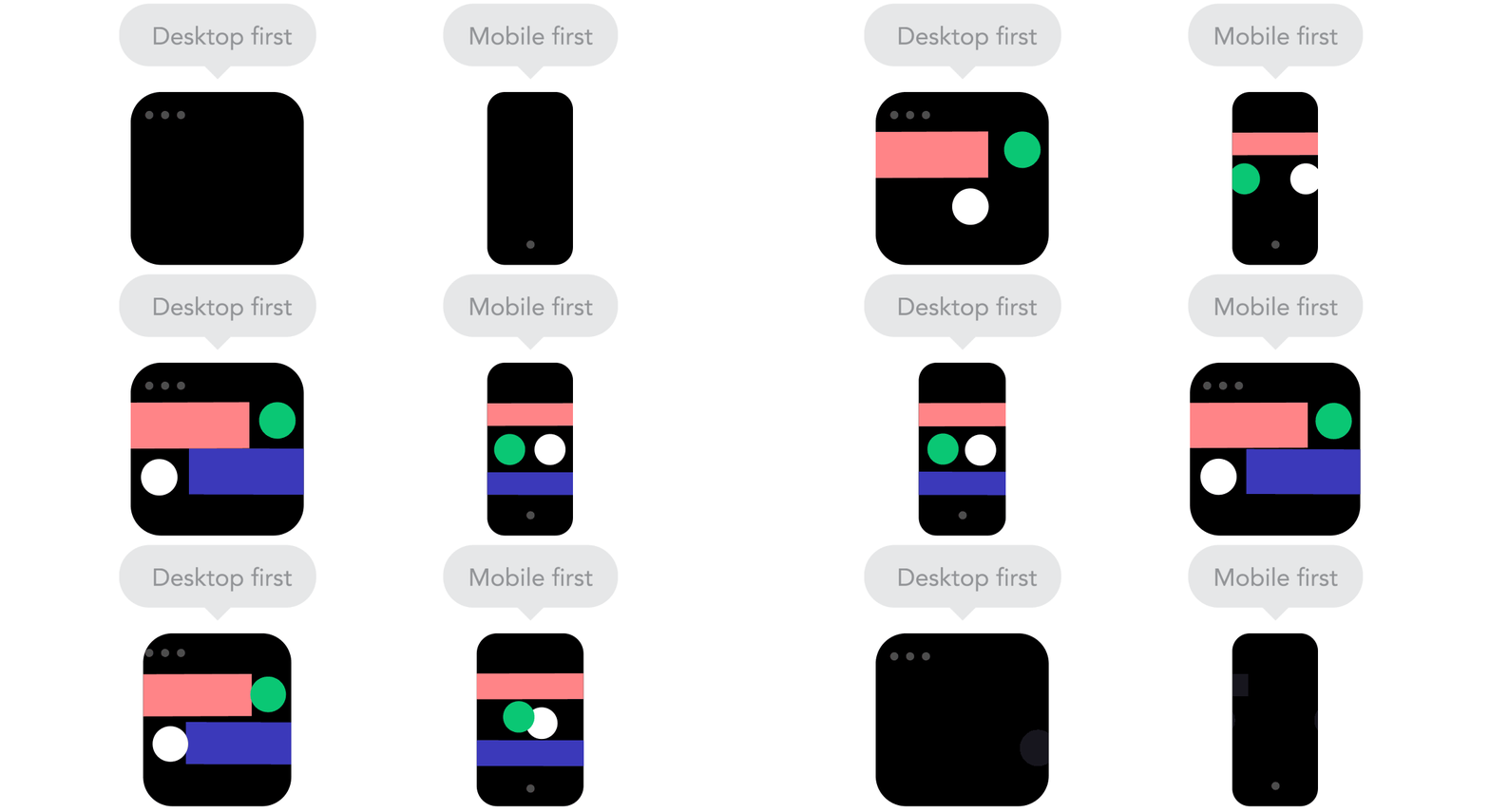
From Froont
Generating ideas
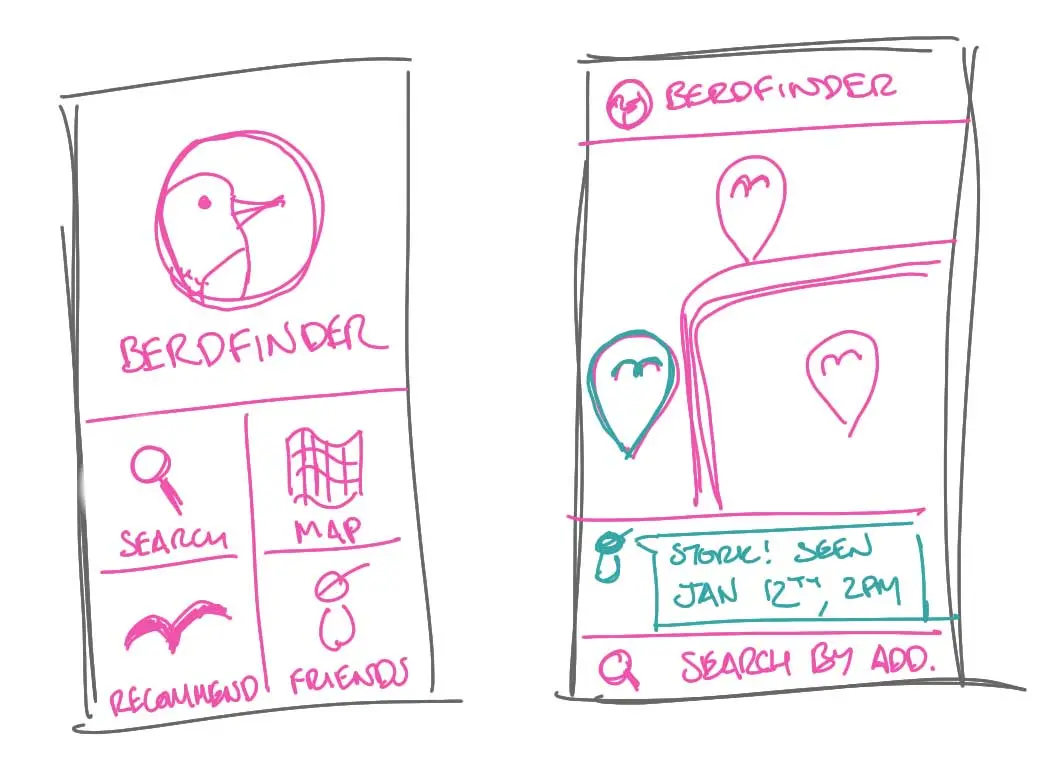
We are looking to suggest and explore, not to confirm our ideas. Our sketches should be:
- Quick
- Plentiful
- Appropriately detailed
- Disposable
Quick sketching
Quick sketching can be achieved through making appropriate sized sketches and not committing too much time to each sketch.
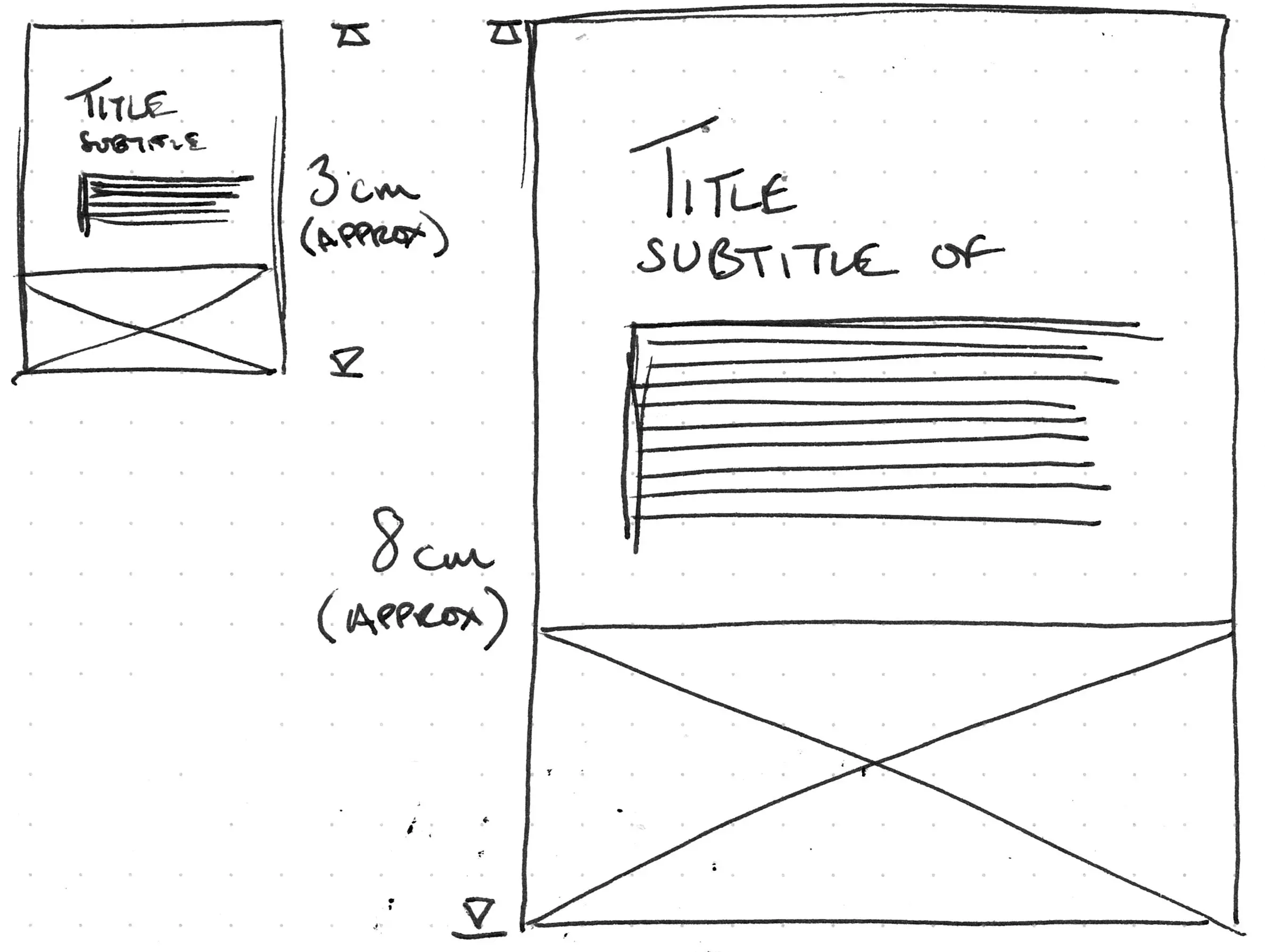
Work small and fast for ideation
Plentiful
We want to be generating lots of different ideas when we sketch.
'Similar' ideas:

Less 'similar' ideas:

Appropriate detail
When generating ideas our sketches should be low fidelity; rough with enough detail to talk about.
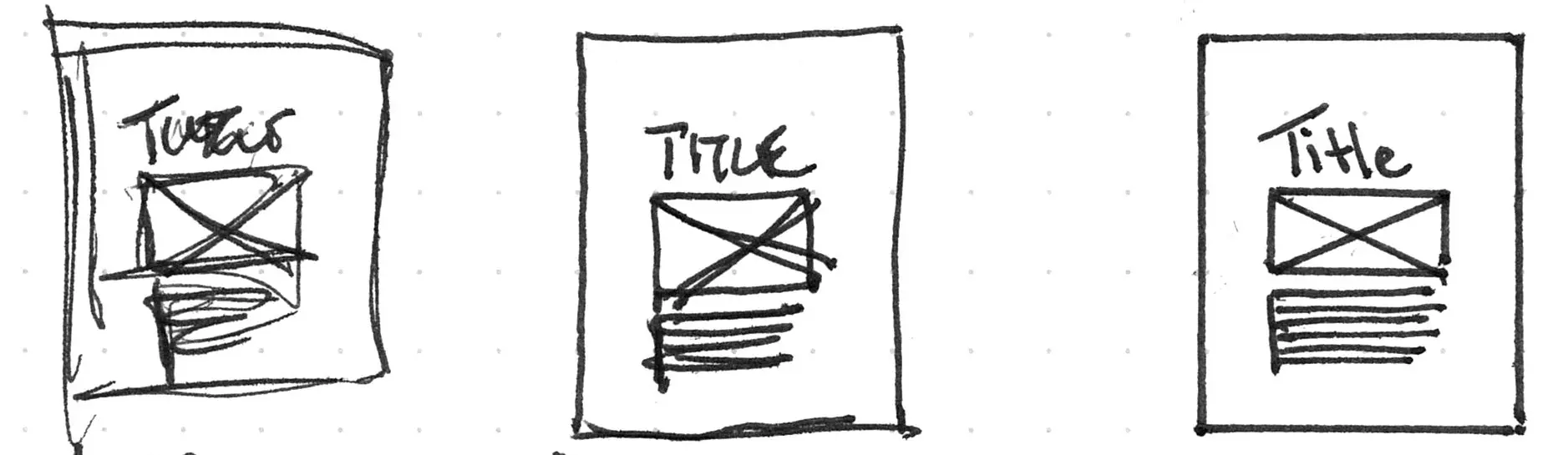
Let's sketch
Let's recap a bit of 'sketching language' before we move forward.
Let's sketch again
You have 10 minutes.
P1 content:
Device information
- Assistive Pencil Grip (name)
- If you find holding a pencil difficult, the Assistive Pencil Grip provides a larger grip so you can write comfortably. (description)
- $0-10 (estimated cost)
Maker information
- Medium level 3D printing skill (skill level)
- 1 hour (print time)
- 0.25 hour (assembly time)
- 3D printer, Common hand tools (tool required)
Please sketch:
- A desktop layout organizing this information into a hierarchy.
- A mobile layout organizing this information into a hierarchy.
Sketches for critique
Each week I will select some of the sketches for us to discuss during this time. We will use them to practice critique as well as to pull apart our process.
Please note that sketches are due on Wednesdays by 8:00am.
Context
The relationship between a user and all the parts of their environment, as they perceive it.
Mobile context
How would you describe the relationship between you, your mobile device, and your environment?
You have 2 minutes to chat with a neighbour.
Layers of information
- Physical: A user's relationship to their environment.
- Semantic: Messages or meaning established for others.
- Digital: Encoded/computer-centric messaging.
Physical layer
Methods of interpreting information
- Visual
- Auditory
- Kinesthetic

Contrast

Readability vs. legibility
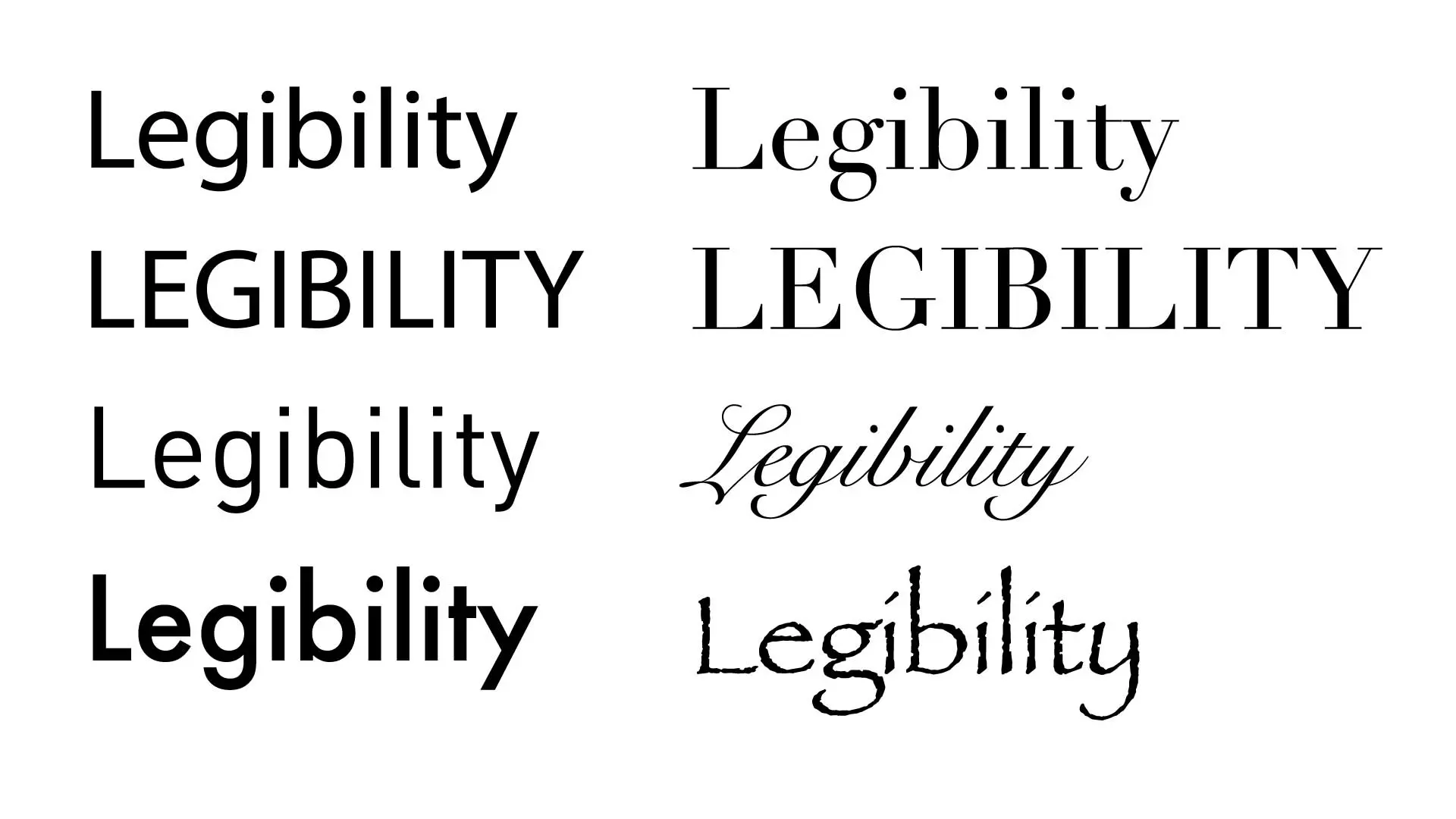
Alternative layers
The physical, semantic, and digital layers are not the only ways to think about context:
- Our perception and cognition
- Spoken language
- Written or visual language
- Designed or organized information
- Digital information
Connections and humans
We're lazy, er, or efficient
"...users have time to read [on average] 20% of words on a page."Nielson-Norman Group

Affordances
Affordances are the properties of an object that suggest a complementary action.
Affordances are learned.
Patterns and chunking
Giving us consistent and reasonable chunks of information makes it easier for us to use.
Patterns and chunking
A visual example
A title for content
Cupcake ipsum dolor. Sit amet marshmallow topping cheesecake muffin. Halvah croissant candy canes bonbon candy. Apple pie jelly beans topping carrot cake danish tart cake cheesecake.
A subtitle
Muffin danish chocolate soufflé pastry icing bonbon oat cake. Powder cake jujubes oat cake. Lemon drops tootsie roll marshmallow halvah carrot cake.
A title for content
Cupcake ipsum dolor. Sit amet marshmallow topping cheesecake muffin. Halvah croissant candy canes bonbon candy. Apple pie jelly beans topping carrot cake danish tart cake cheesecake.
A subtitle
Muffin danish chocolate soufflé pastry icing bonbon oat cake. Powder cake jujubes oat cake. Lemon drops tootsie roll marshmallow halvah carrot cake.
A title for content
Cupcake ipsum dolor. Sit amet marshmallow topping cheesecake muffin. Halvah croissant candy canes bonbon candy. Apple pie jelly beans topping carrot cake danish tart cake cheesecake.
A subtitle
Muffin danish chocolate soufflé pastry icing bonbon oat cake. Powder cake jujubes oat cake. Lemon drops tootsie roll marshmallow halvah carrot cake.
Considering content
Research from Google shows that 90 percent of people start a task using one device, then pick it up later on another device...Windows on the Web (Karen McGrane)
Questions?
Homework review
Things to work on this week:
- Submit your sketching exercise before 8am on Wednesday (September 16).
- Work on your project and bring your deliverables to class next week.
Next week: Thinking about layout and structure to direct movement through content
Break time!
Please return for class in 10 minutes